
Google 推出 Gemini CLI 工具 看來 Claude Code 終於遇到競爭對手
安裝
npx https://github.com/google-gemini/gemini-cli

# 或是

npm install -g @google/gemini-cli
到 Google AI Studio 申請 API Key

之後在 Command Line 使用下面指令即可
export GEMINI_API_KEY="YOUR_API_KEY"也可以在 Gemini CLI 中使用 Authenicate 來登入授權
/auth
# 進入後選擇想要的流程即可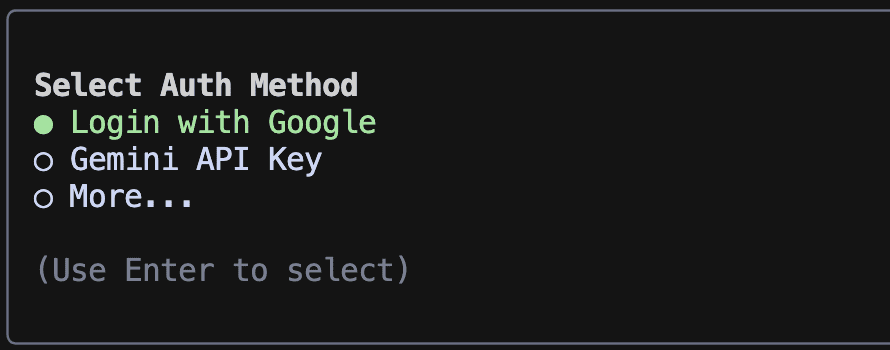
支援平台
- macOS
- Linux
- Windows (原生支援,不需要 WSL,這點大勝 Claude Code)
Gemini Command
auth
可以變更登入的方式,不一定要使用 API KEY,也可以直接用 Google 登入的模式
about
顯示當前資訊
About Gemini CLI                                                                       │
│                                                                                        │
│ CLI Version                   0.1.1                                                    │
│ Git Commit                    852210e1 (local modifications)                           │
│ Model                         gemini-2.5-pro                                           │
│ Sandbox                       no sandbox                                               │
│ OS                            darwin
chat
管理對話聊天記錄
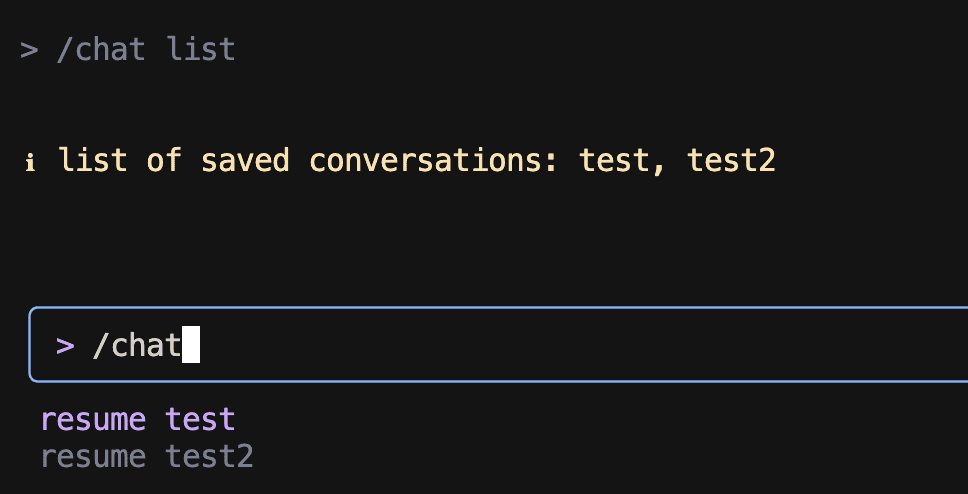
save + tag 可以把對話加上標籤
之後就可以用
/chat resume tag 來回復對話
也能用 /chat list 來列出記憶的對話
compress
壓縮目前對話紀錄,節省 input token
✦ Chat history compressed from 2644 to 195 tokens.範例中節省了超過 90% 的 input token
doc
會開啟 Google Gemini 的文件連結
https://goo.gle/gemini-cli-docseditor
調整 Editor 的設定

help
列出 gemini-cli 的相關指令
mcp
可以定義 mcp 的工具來使用 mcp 都需要靠 setting.json 來設定
而該檔案有許多種層級
-
用戶設定 scope
~/.config/gemini/settings.json -
專案設定 scope
./project-name/.gemini/settings.json
// Line MCP Server範例
{
  "mcpServers": {
    "line-chatbot": {
      "command": "/opt/homebrew/bin/node",
      "args": [
        "/xxx/dist/index.js"
      ],
      "env": {
        "CHANNEL_ACCESS_TOKEN" : "xxx",
        "DESTINATION_USER_ID" : "line_uid"
      }
    }
  }
}
Line MCP Server 測試
以下是使用 Line MCP Server 來示範
// prompt
line push_flex_message about how to use gemini cli 
正常觸發,且設計的 Line Flex 模板不算非常陽春
quit
退出 Gemini CLI
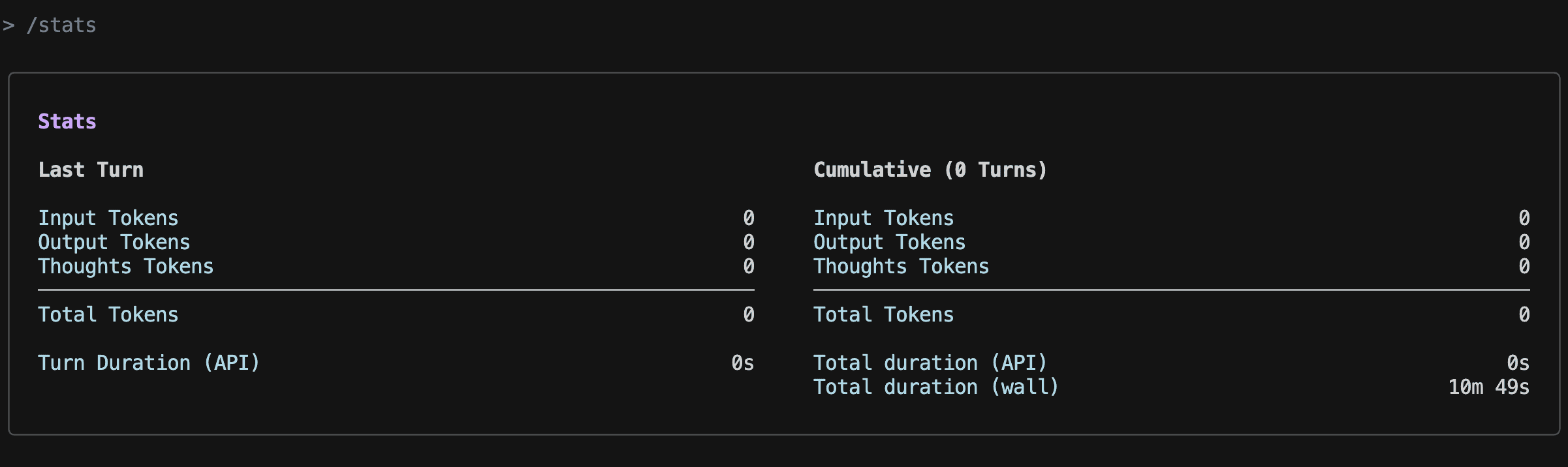
stats
目前使用狀況
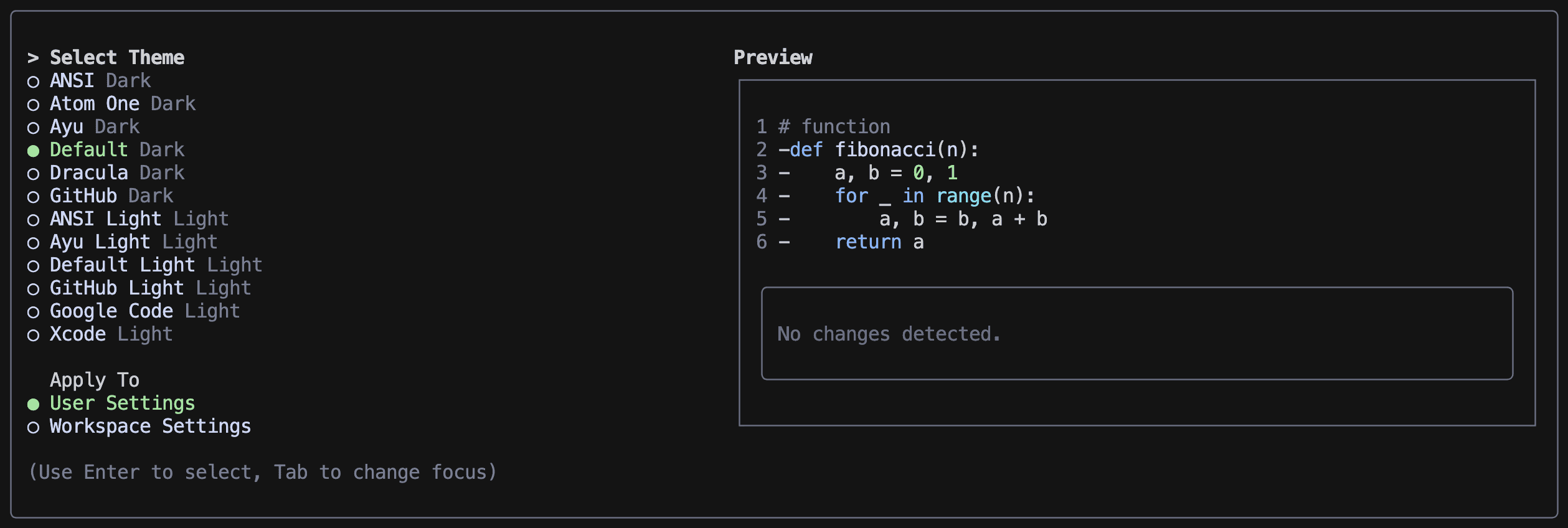
theme
變更色系風格
tools
列出目前可用的工具
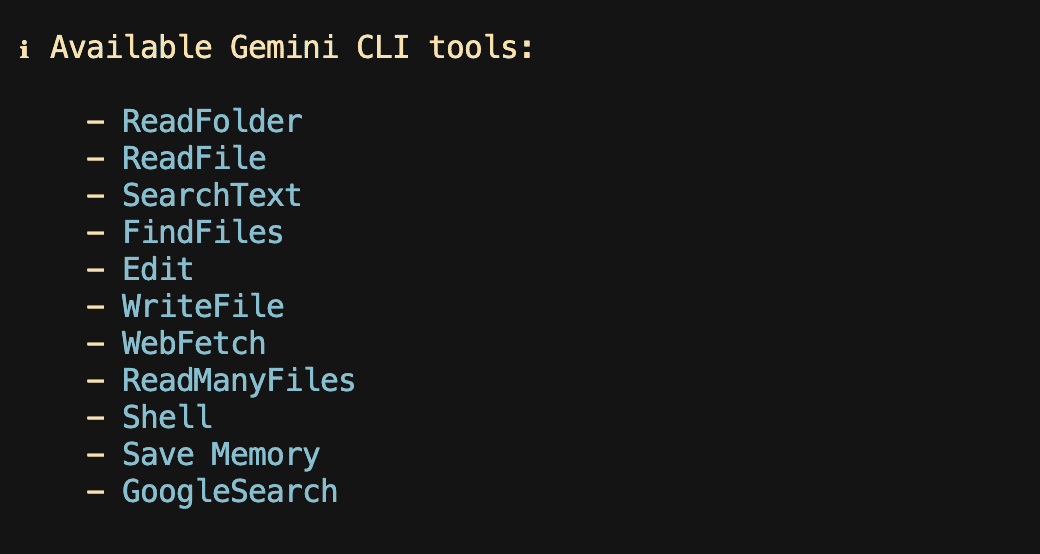
調用工具前一樣會詢問是否同意要使用該工具,例如使用 WebFetch
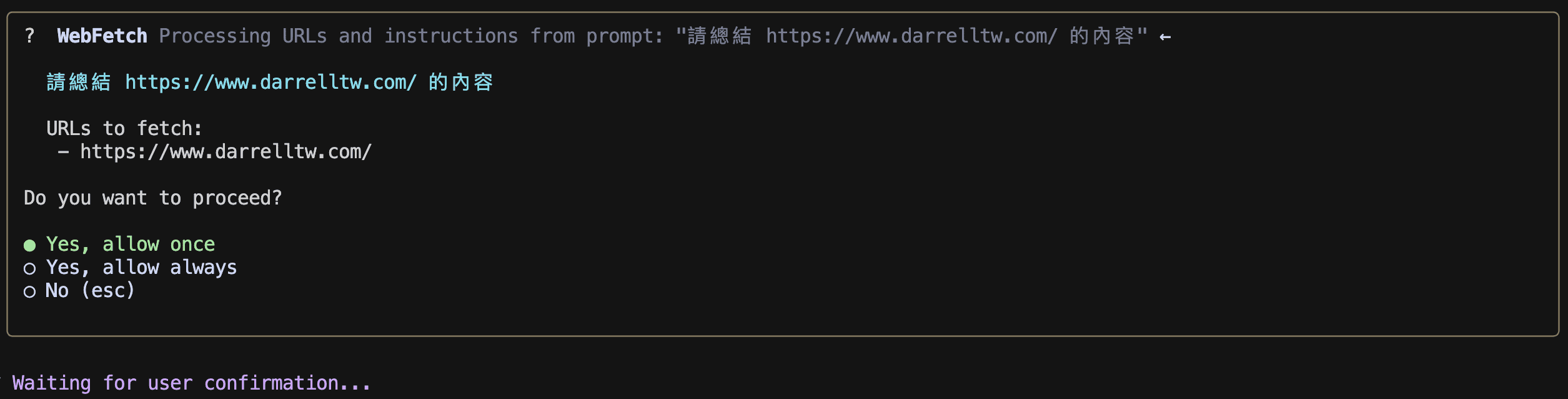
試用成果:天氣動畫成效
這是一般拿來測試 AI 模型的一個範例 請他繪製天氣模型 可以看到就算是 Gemini-2.5-pro 效果還是差強人意
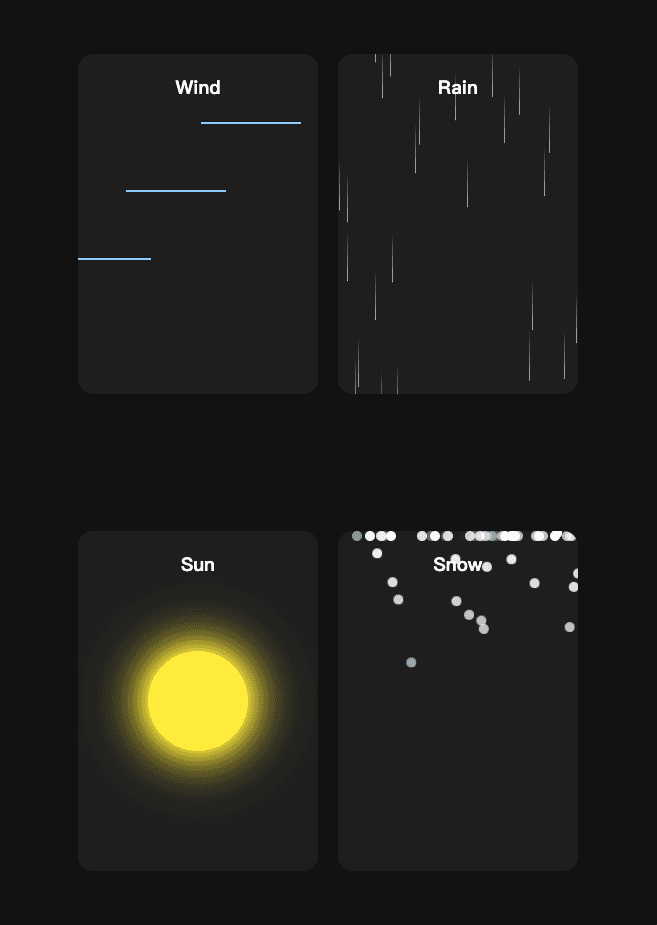
這邊用 Claude Code 來對比一下效果,這種偏前端和美感的還是 Claude 比較擅長
使用額度
一分鐘內可以使用 60 次 模型 一整天內可以使用 1000 次 模型
這個價格可以說是超級佛心!
還是使用 gemini-2.5-pro 模型
真的不知道這種免費方案可以試用多久

進階用法 - crontab 排程
gemine -p 可以讓你在 command line 中直接使用 gemini 來處理
那把這個指令放入 bash 檔案中設定適當的 prompt
並且設定到 crontab 中,那你就會有屬於自己客製化的每日提醒等功能
這邊用一個每日重要新聞當作範例
首先請 gemini 自己設定一個 crontab 並在每天早上十點發送一個新聞快訊
他就會做出一個這樣的 sh 檔案

並且自行加入 crontab 中 測試收到的訊息如下

這邊提供完整語法
gemini -p "請提供今天的台灣重要新聞。請嚴格使用 HTML 格式輸出,不要使用 Markdown。新聞標題請用 <strong> 標籤,每條新聞請用 <li> 標籤,並將所有新聞包在 <ul> 標籤內。" | python3 -c 'import sys, json; print(json.dumps({"news": sys.stdin.read(), "source": "gemini"}))' | tee gemini_news.log | curl -X POST -H "Content-Type: application/json" -d @- "https://n8n.zeabur.app/webhook/xxxxx"有興趣的人也可以自行測試玩玩看!