原因和背景
當開始使用 Firebase Cloud Messaging 時,突然遇到只要在 click_action 欄位放入不同 Domain 的連結,就會無法順利開啟。 研究了一下整個 FCM 的部分程式碼後發現,它有個判斷 Domain 的規則在裡頭 (內建的 notificationclick function)。 如果需要能夠支援可以開啟不同 Domain 的需求,就必須得自己寫入自己的 notificationclick function 來處理。
FCM 的 notificationclick function
這邊以 Service Worker 8.8.1 版本舉例
importScripts("https://www.gstatic.com/firebasejs/8.8.1/firebase-app.js");
importScripts("https://www.gstatic.com/firebasejs/8.8.1/firebase-messaging.js");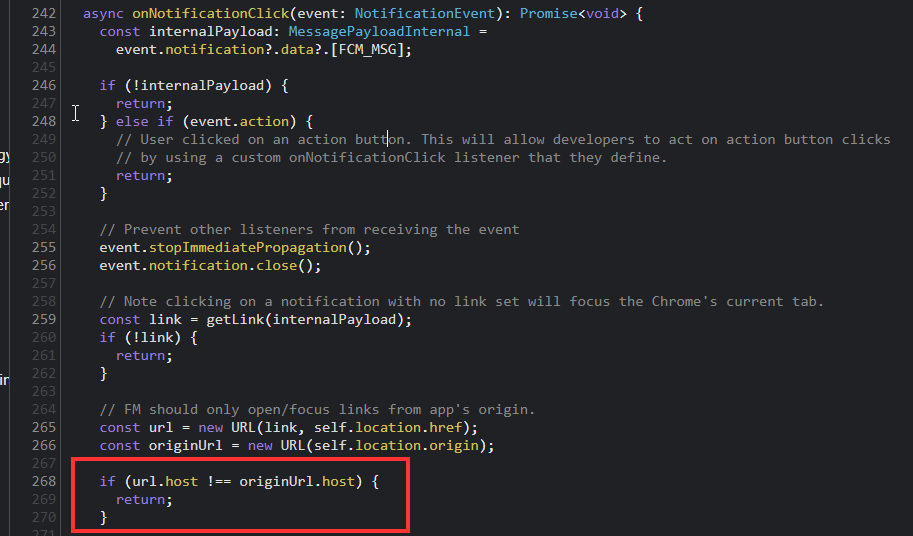
可以看到截圖中 紅框處,只要 host 不同就會直接 return 掉
Solution
目前查詢到的方法來自這個 StackOverFlow 解答
self.addEventListener('notificationclick', function(event) {
    event.notification.close();
    // fcp_options.link field from the FCM backend service goes there, but as the host differ, it not handled by Firebase JS Client sdk, so custom handling
    if (event.notification && event.notification.data && event.notification.data.FCM_MSG && event.notification.data.FCM_MSG.notification) {
        const url = event.notification.data.FCM_MSG.notification.click_action;
        event.waitUntil(
            self.clients.matchAll({type: 'window'}).then( windowClients => {
                // Check if there is already a window/tab open with the target URL
                for (var i = 0; i < windowClients.length; i++) {
                    var client = windowClients[i];
                    // If so, just focus it.
                    if (client.url === url && 'focus' in client) {
                        return client.focus();
                    }
                }
                // If not, then open the target URL in a new window/tab.
                if (self.clients.openWindow) {
                    console.log("open window")
                    return self.clients.openWindow(url);
                }
            })
        )
    }
}, false);
這邊是用來傳送給 FCM 的 Payload
{
 "data": {
    "test1": "test1",
    "test2": "test2"
  },
  "notification": {
    "title": "test_title",
    "body": "test_body",
    "icon": "https://cdn-icons-png.flaticon.com/128/14/14111.png",
    "click_action": "https://www.google.com.tw/maps"
  },
  "to": "{{browserToken}}"
}
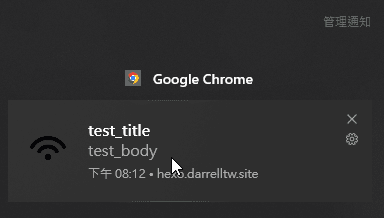
收到的通知截圖和點擊後能正確開啟 Google Map